
Playerz Casino App | Install Steps & Payments from Mobile
Play thousands of games in CAD instantly — install the mobile app in seconds on Android or iOS.
Top Playerz Casino Games





Game Library





Playerz Casino delivers its full gaming lobby directly to your phone through a mobile-optimised web app that runs on both Android and iOS without requiring an app store download. Canadian players can add the casino to their Home Screen in seconds, log in with their existing account, and play thousands of games in CAD from anywhere.
For Canadian players, the mobile platform supports CAD transactions, making deposits and withdrawals straightforward without currency conversion fees eating into your balance.
How to Download the App on Android
Android users install the Playerz PWA through Chrome. There is no APK file to download from a third-party source — the process runs entirely through your browser, which keeps it secure.
Steps to Start
Open Google Chrome on your Android device — other browsers may not show the "Add to Home Screen" prompt reliably.
Navigate to the official Playerz Casino website (type the address directly or use a bookmarked link).
Wait for the site to fully load. Chrome may display an automatic banner at the bottom of the screen prompting you to add the site to your Home Screen — tap Add if it appears.
If the banner does not appear automatically, tap the three-dot menu (top-right corner of Chrome).
Select "Add to Home Screen" from the dropdown menu.
Edit the shortcut name if you want (default is "Playerz Casino"), then tap Add.
The Playerz icon now appears on your Android Home Screen alongside your other apps.
Tap the icon to open the mobile site in full-screen mode without the browser address bar.
After Installing
Log in with your existing Playerz credentials or register a new account directly from the mobile interface.
Allow browser notifications if you want to receive promotional updates.
The casino updates automatically — no manual reinstall or APK version checking required.
No file size is downloaded to your device storage beyond a small app manifest and cached assets. Check the Playerz website for any Android version requirements if you experience compatibility issues on older devices.
How to Install the App on iOS (iPhone & iPad)
iOS installation uses Safari — Apple's own browser — because only Safari can create a proper Home Screen shortcut that opens in full-screen mode on iPhone and iPad. Using Chrome or Firefox on iOS will create a basic bookmark, not the full PWA experience.
Open Safari on your iPhone or iPad.
Go to the official Playerz Casino website.
Wait for the page to fully load.
Tap the Share button — the square icon with an arrow pointing upward, found at the bottom of the screen on iPhone or at the top on iPad.
Scroll through the Share menu options and tap "Add to Home Screen".
A name field appears — keep "Playerz Casino" or customize it, then tap Add in the top-right corner.
The Playerz icon appears on your iOS Home Screen.
Tap the icon to launch the site in full-screen mode without Safari's navigation bars.
iPad Users
The process is identical on iPad. The wider screen renders the lobby in a tablet-optimised layout, giving you more game tiles per row and a larger live dealer view. Landscape mode is particularly effective on iPad for live casino tables.
Notes for iOS
iOS Push Notifications via PWA require iOS 16.4 or later and must be manually enabled after installation through your iPhone's Settings app.
Check the Playerz website for the minimum iOS version currently supported, as requirements can change with platform updates.
No App Store download is involved, so there are no regional App Store restrictions to
navigate.

Key Features of the App
The Playerz mobile platform is built around touchscreen usability rather than being a scaled-down version of the desktop site. Key features that matter for everyday play are outlined below.
Biometric Login
If your device supports fingerprint or Face ID authentication, the Playerz mobile site can use your browser's built-in credential storage to make login faster. This depends on your browser and device settings — check your browser's password manager for setup.
Push Notifications
Promotional notifications are delivered through the browser's notification system rather than a native app push. You can enable or disable these from your device's notification settings after adding Playerz to your Home Screen.
Session Continuity
Starting a game on desktop and switching to mobile (or vice versa) picks up where you left off in your account — your balance, bonus progress, and game history carry across devices instantly.
Games Available on the App
The full Playerz Casino game library is accessible on mobile — no separate mobile-only catalogue. Games load directly in your mobile browser using HTML5 technology, which means every title is touch-compatible without additional plugins.
Game Category | Mobile Available | Example Titles |
|---|---|---|
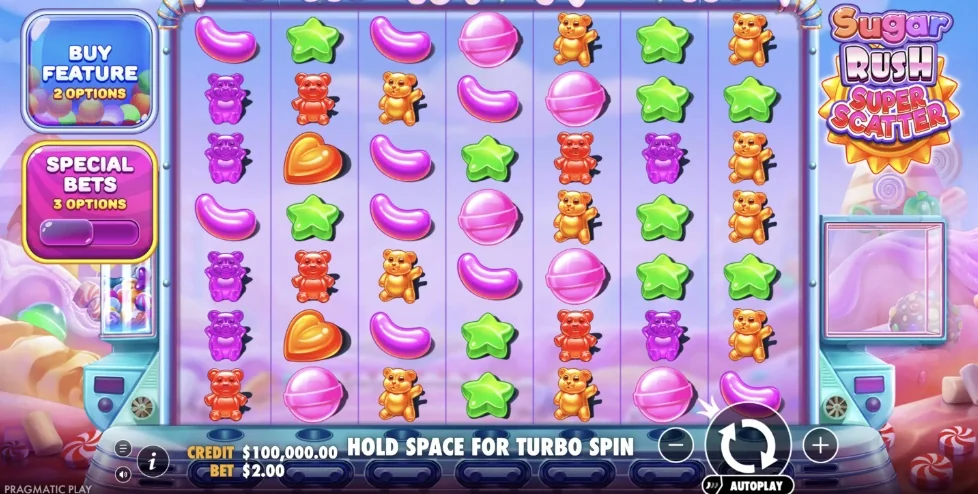
Video Slots | Yes | Sugar Rush, Elvis Frog in Vegas, Le Fisherman |
Live Casino | Yes | Crazy Time, Live Blackjack, Live Roulette |
Table Games (RNG) | Yes | American Blackjack, Roulette variants |
Progressive Jackpots | Yes | Hall of Gods |
Scratch Cards / Instant Win | Yes | Check mobile lobby |
A stable internet connection — Wi-Fi or 4G/5G — is recommended for live casino games. Slots and RNG table games perform well even on a slower 3G connection since they do not stream continuous video.











Deposits and Withdrawals for Mobile
Every banking function available on the desktop is accessible through the Playerz mobile interface. The cashier opens as a full-screen overlay, and the deposit flow is optimised for mobile keyboards — numeric keypads appear automatically for amount entry.
Check the cashier within your account for the current list of CAD-supported payment methods.
Welcome bonuses and ongoing promotions apply equally on mobile. No separate mobile-only bonus code is needed — any active bonus on your account carries over automatically when you switch from desktop to the app. Check the cashier or promotions page for current bonus details.
| Option | Deposit | Withdrawal | Min | Notes |
|---|---|---|---|---|
| Cards (Visa/Mastercard) | Instant | 1-3 business days | C$10-C$20 | Est. Max Deposit: C$3,000-C$5,000 |
| E-Wallets | Instant | 0-24 hours | C$10-C$20 | Est. Max Deposit: C$3,000-C$5,000 |
| Open Banking / Interac | Instant | 0-24 hours | C$10-C$20 | Est. Max Deposit: C$3,000-C$5,000 |
| Cryptocurrencies | 10-60 minutes | 10 minutes-24 hours | C$10-C$20 | Est. Max Deposit: C$3,000-C$5,000 |
| Bank Transfer | 1-3 business days | 2-5 business days | C$10-C$20 | Est. Max Deposit: C$3,000-C$5,000 |
Playerz Casino App vs. Mobile Browser
The Playerz mobile experience is a PWA, which means the "app" and the "mobile browser" are technically the same underlying technology. The difference comes down to how you access it and a few usability factors.
Aspect | Playerz App (PWA / Home Screen) | Mobile Browser (Direct URL) |
|---|---|---|
Installation required | Yes (add to Home Screen) | No |
Full-screen experience | Yes — no browser UI bars | No — browser address bar visible |
Launch speed | Faster — direct icon tap | Slightly slower — open browser, type URL |
Automatic updates | Yes | Yes (same platform) |
Game library | Full library | Full library (identical) |
Offline features | None — internet required for all games | None — internet required |
Notifications | Browser notifications via Home Screen | Not available without Home Screen install |
Storage used | Minimal (app manifest + cache) | No additional storage |
App Store restrictions | Not applicable (no store listing) | Not applicable |
Suitable for | Regular players who want quick access | Occasional players, no install preference |
Responsible Gambling
Playerz Casino holds an MGA licence (MGA/B2C/314/2015) and operates responsible gambling tools as part of its licensing obligations. These tools are fully accessible through the mobile platform — you do not need to switch to desktop to manage your account safety settings.
Available Tools
Deposit limits — set daily, weekly, or monthly caps directly from your account settings
Loss limits — restrict how much you can lose over a defined period
Session time limits — set a maximum session length; the platform alerts you when your limit is reached
Reality checks — periodic on-screen reminders of your session duration
Self-exclusion — request a temporary or permanent account closure through the support team
Cool-off periods — take a short break without full account closure
Support Organizations
Gambling Support (Canada): 1-866-531-2600 (ConnexOntario, available 24/7)
Responsible Gambling Council: www.responsiblegambling.org
Gamblers Anonymous Canada: www.gamblersanonymous.org
Playerz Casino is intended for players aged 18 and over. Age verification is required as part of the KYC process before Playerz processes withdrawals. Playing on a mobile device does not bypass any of these requirements — the same verification standards apply on app and desktop.
If you feel your gambling is becoming problematic, use the self-exclusion tool in your account or contact Playerz Casino's support team directly to request account restrictions.
FAQ
No. Playerz Casino does not have a native app listed in the Google Play Store or Apple App Store. Canadian players access the mobile experience by adding the Playerz website to their Home Screen via Chrome (Android) or Safari (iOS), creating a PWA shortcut that launches in full-screen mode.
Open Google Chrome, go to the Playerz Casino website, tap the three-dot menu in the top-right corner, and select "Add to Home Screen." Tap Add to confirm. The Playerz icon then appears on your Home Screen and opens in full-screen without Chrome's address bar.
Open Safari (not Chrome), navigate to the Playerz Casino website, tap the Share button (the square with an upward arrow at the bottom of the screen), and select "Add to Home Screen." Tap Add. The icon appears on your iOS Home Screen and opens as a full-screen experience.
Yes. The full Playerz Casino game library is available on mobile, including slots, live casino tables, RNG table games, and progressive jackpots. No titles are exclusive to desktop, and no titles are restricted to mobile only.
Yes. The Playerz mobile cashier supports CAD transactions. The specific payment methods available to Canadian players are listed in your account cashier — check there for confirmed options and current processing times.
Biometric login (fingerprint or Face ID) is supported through your browser's built-in credential management rather than a dedicated app feature. Enable saved passwords in your browser settings and, if your device supports it, biometric authentication will trigger automatically on login.
Yes. Playerz Casino operates under MGA licence number MGA/B2C/314/2015, which applies to all player activity including mobile. Transactions use SSL encryption, and responsible gambling tools — including deposit limits and self-exclusion — are accessible through the mobile platform. Gambling is permitted for players aged 18 and over only.